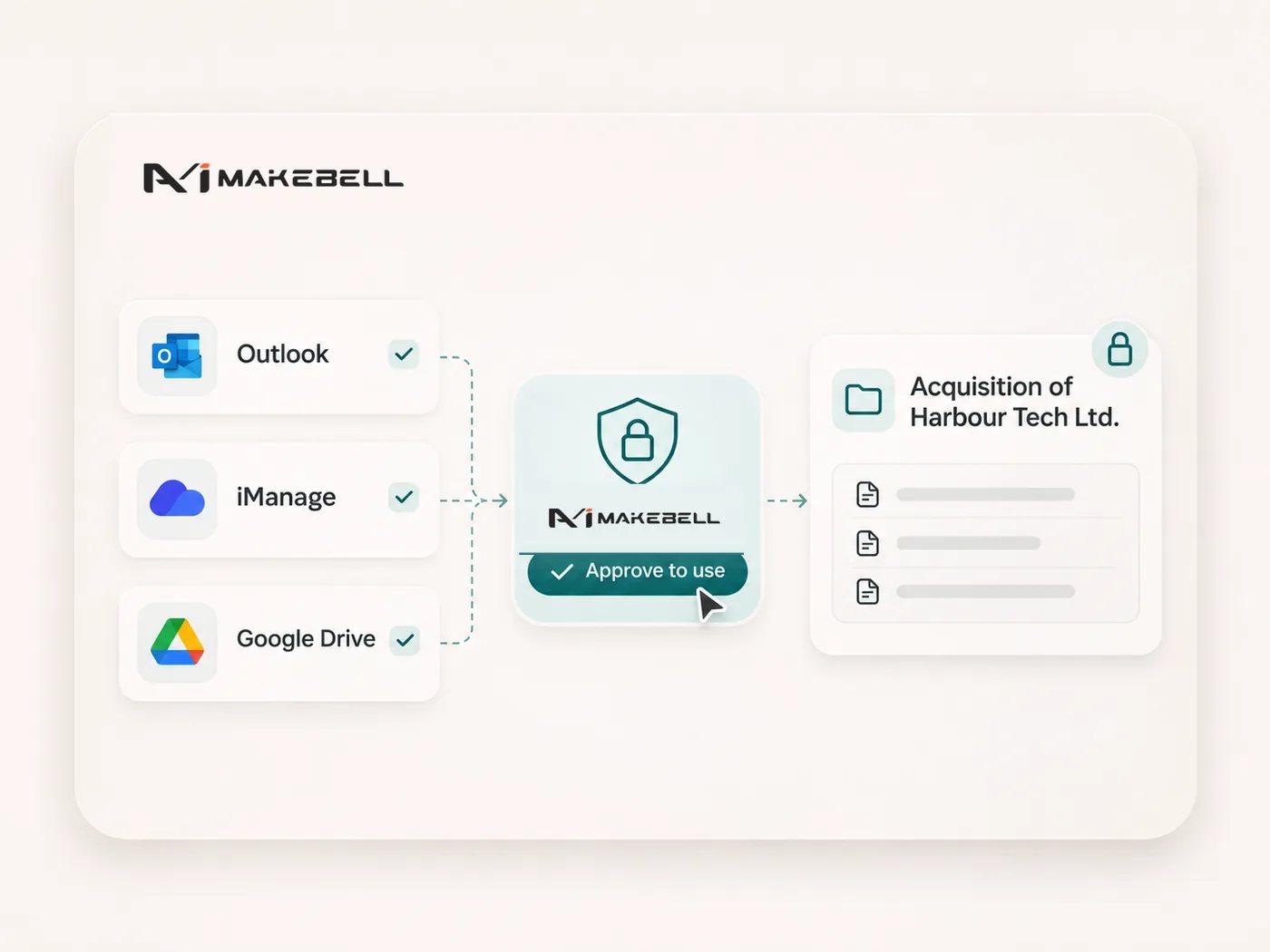
Connectors
Connectors put Makebell to work in the tools the firm already uses: reading mail in Outlook, documents in iManage, and files in Google, and taking action in them only with your approval.
Hong Kong
A private AI operating system for work that cannot leave the firm. Privacy, control and confidentiality matter too much.
“We want to free the lawyer from mundane, routine tasks, so that they can focus on what matters — strategy, advice, and judgment.”
Partner
Deacons


The system runs on the firm’s own machines.
Makebell cannot see your files. Model providers cannot see them either. No one outside the firm can see your chats or your files.
Nothing leaves the firm. There is no data to store, and no data to train a model on. You do not have to negotiate those points.

Files are kept separate by person, by matter, and by practice. A person sees a file only when they need it for the work.
An admin sets the role of every user, and what that person is allowed to do. The firm holds that control. It is not left open.
Every action on the platform is written to an audit log. Each one can be traced back.

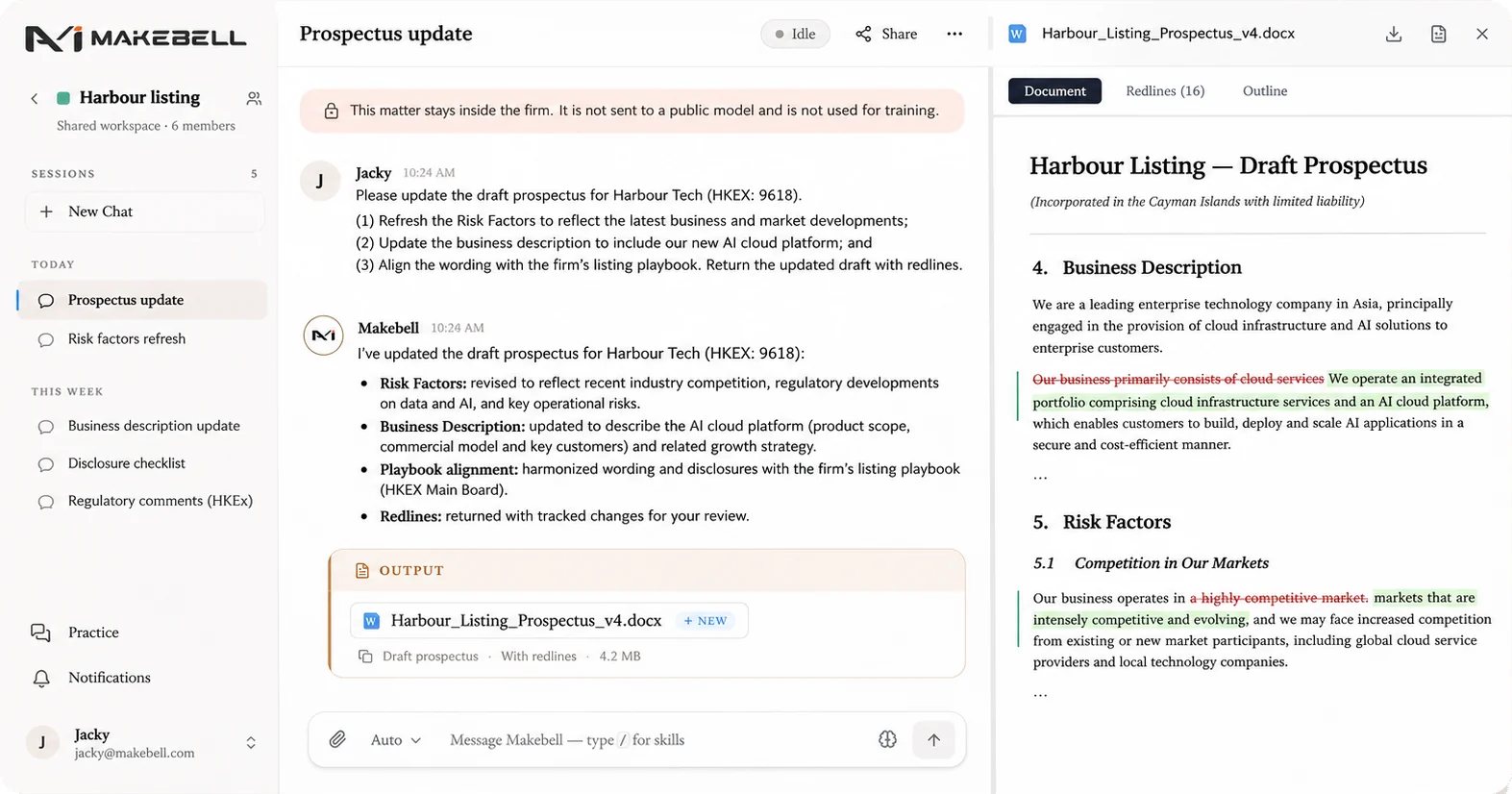
Drafts, reviews, and research start from the firm’s own work. A new draft starts from the closest precedent, not from a blank page.
It reads your past matters and keeps what it finds: how you write, how the client likes the work done, and how the firm runs the file.
Contract review and due diligence run against the firm’s playbook. It looks for what matters to you, every time.

Makebell edits the document you already have. It does not answer in a chat next to it. Formatting, numbering, and structure stay as they are.
Changes come back as track changes. A lawyer accepts or rejects each one. You do not get a clean copy and have to find the differences yourself.
Every answer is grounded, and it links back to the exact source. That keeps hallucinations out.

A general model has to learn your practice first. This one does not.
Our professional team has curated jurisdiction-specific knowledge. It is drawn from legislation, government, and the regulators.
Practice-specific skills are ready as resources too. You can use the system for real work from the first day.

Draft, review, and research in one system.
1–3 of 9
Connectors put Makebell to work in the tools the firm already uses: reading mail in Outlook, documents in iManage, and files in Google, and taking action in them only with your approval.
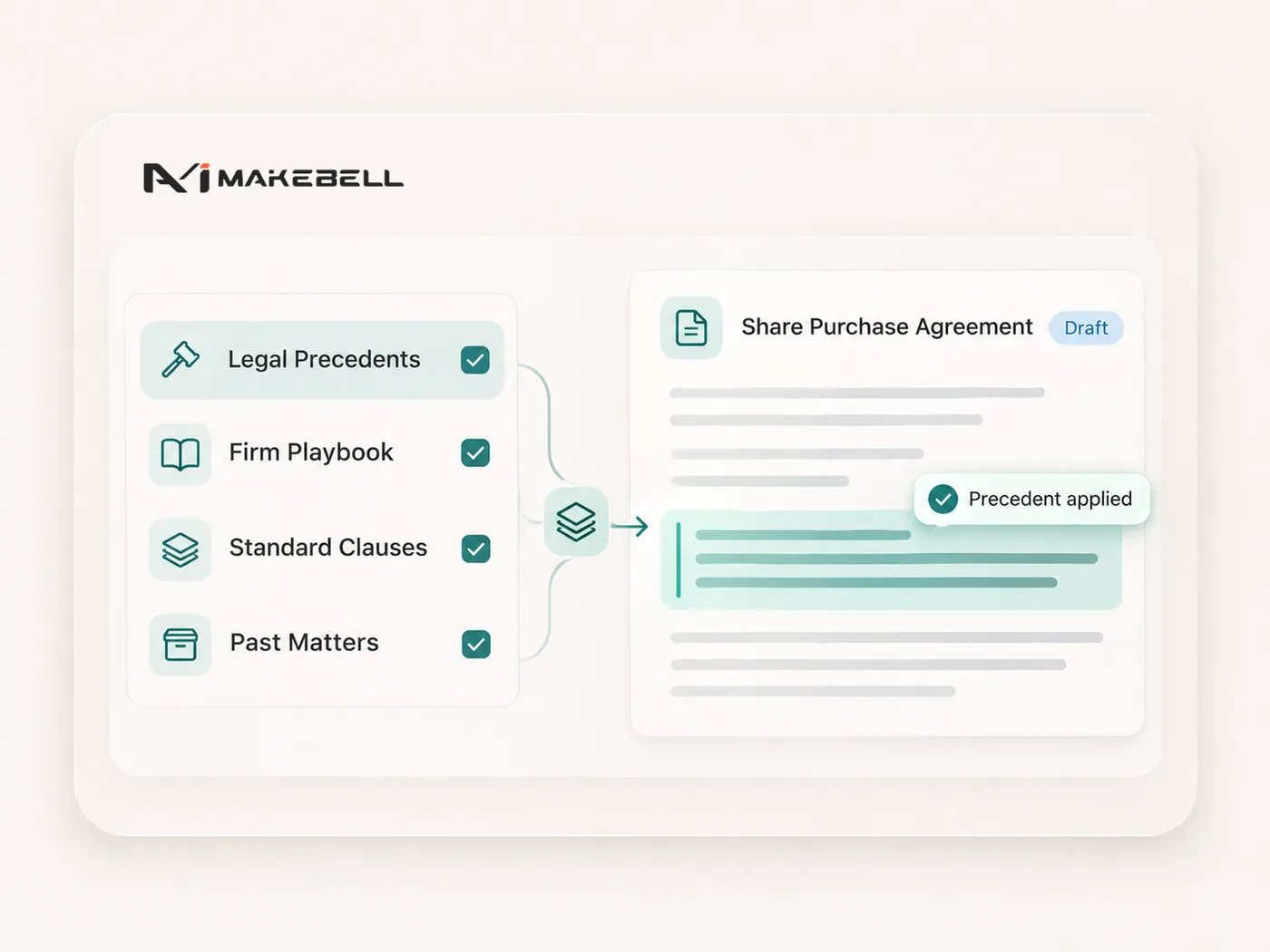
Upload the firm’s precedents, past matters, client memos, and playbooks. Drafts and reviews draw on that knowhow, so the work follows the way this firm already writes, rather than a generic form.
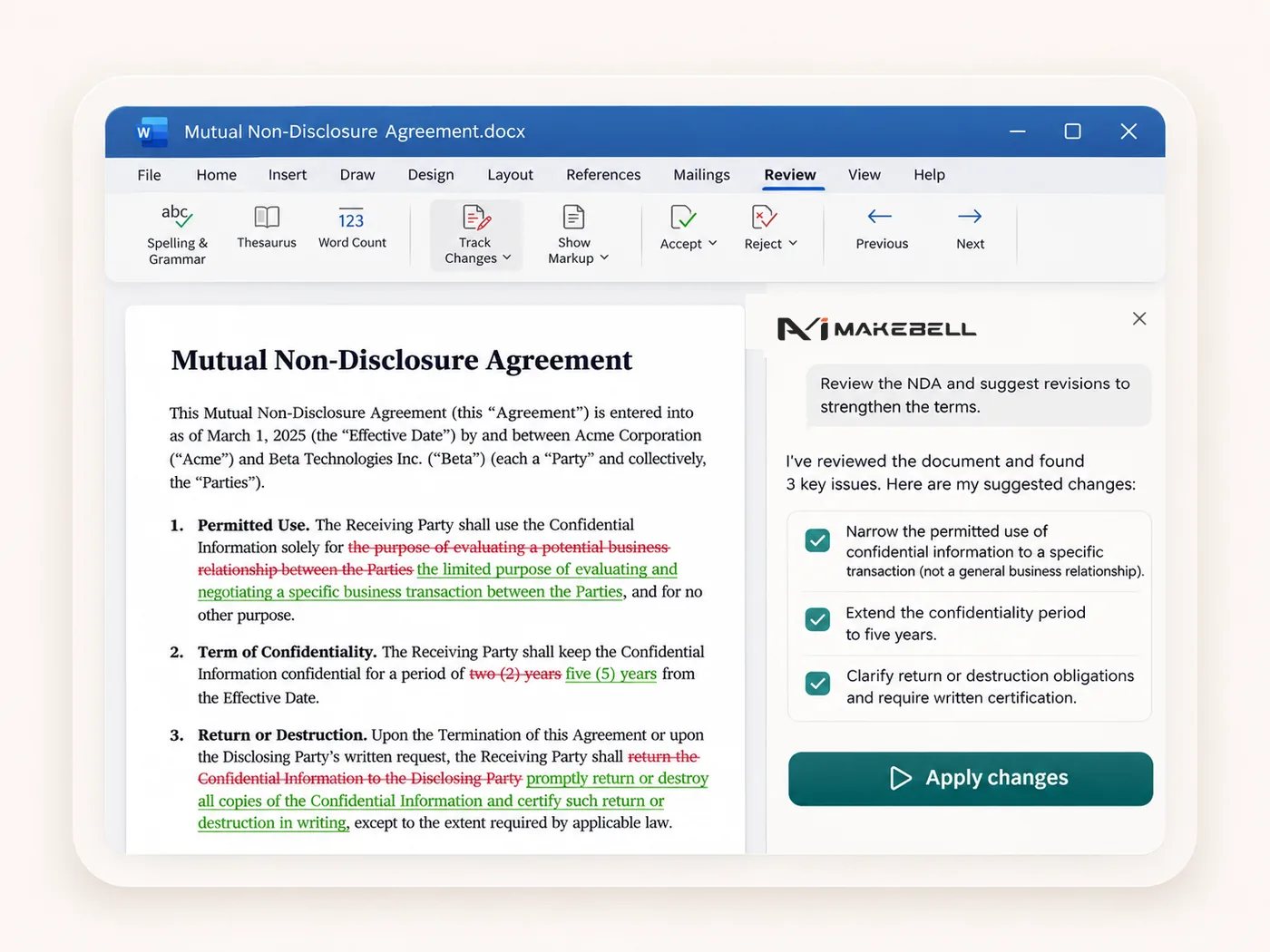
Use Makebell inside Microsoft Word to draft, review, and redline, from a selected clause to the whole agreement. Changes come back as track changes in the document you already have. You do not leave Word.
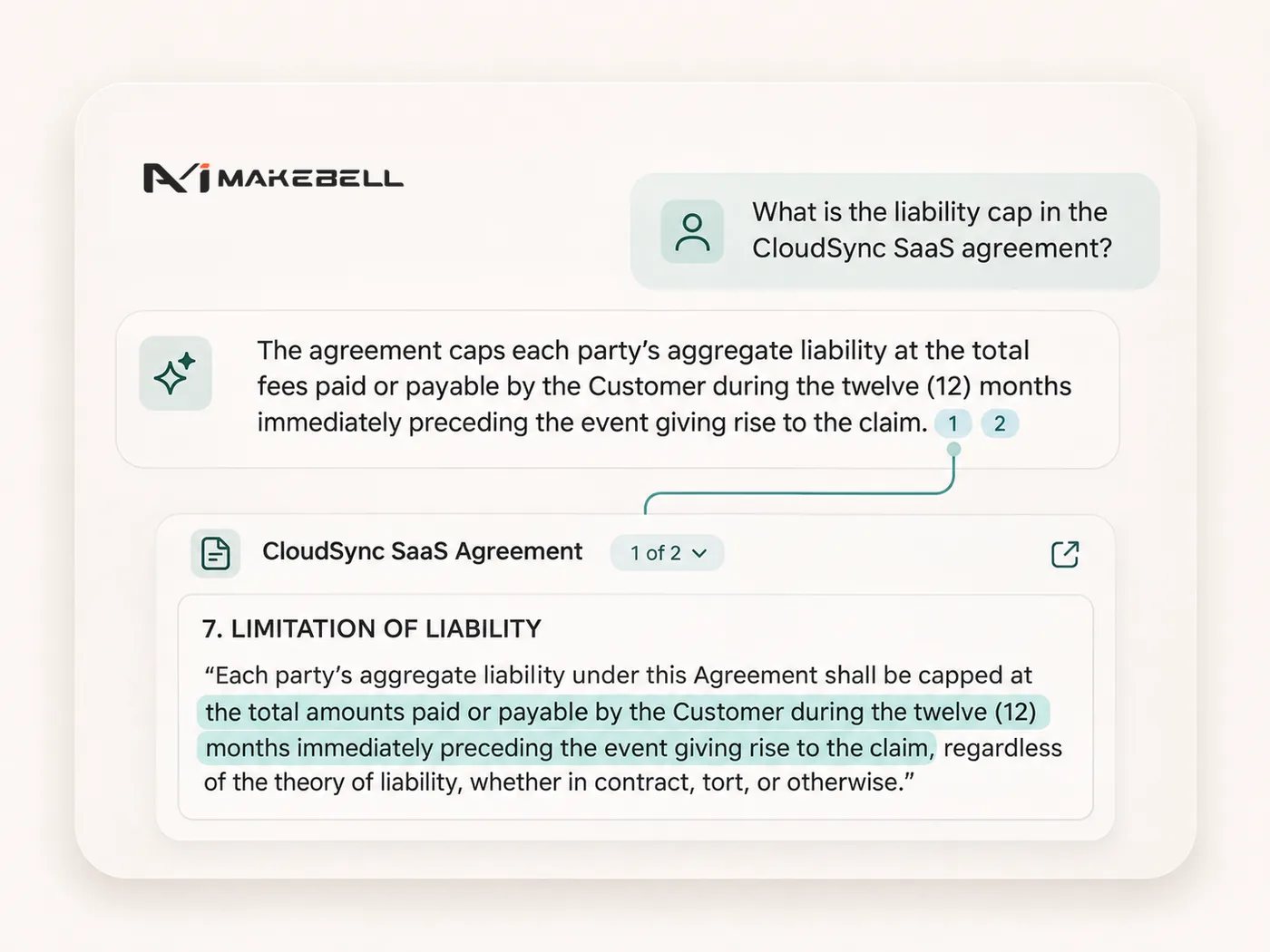
Every answer carries a citation you can open. It takes you to the exact page in the document or the source, and highlights the passage the answer used, so you can check it before you rely on it.
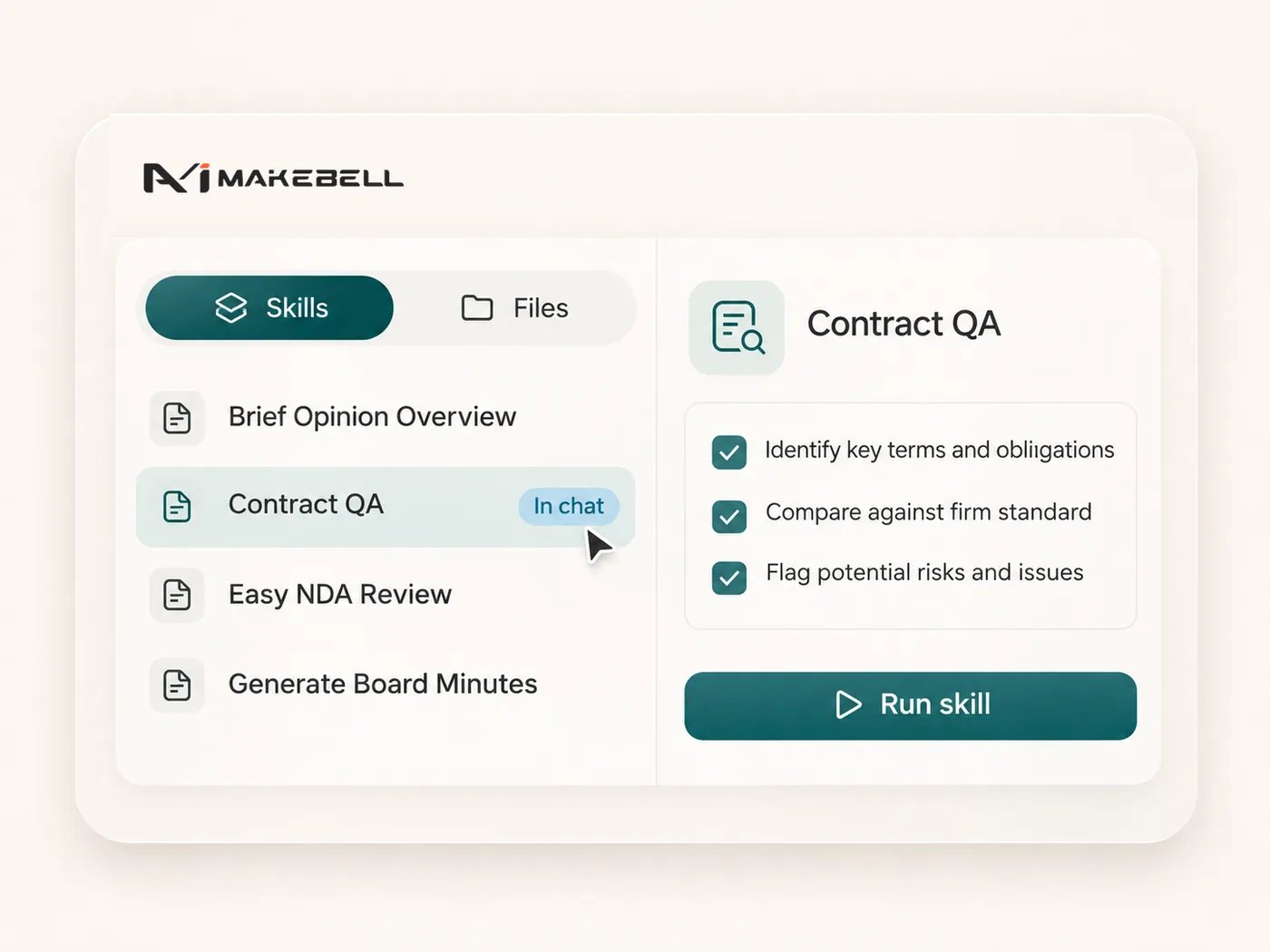
Open a skill and run it on the document in front of you: a first-pass contract review, a set of minutes, a due diligence note. The steps and the standard are already in the skill. You do not write the prompt again.
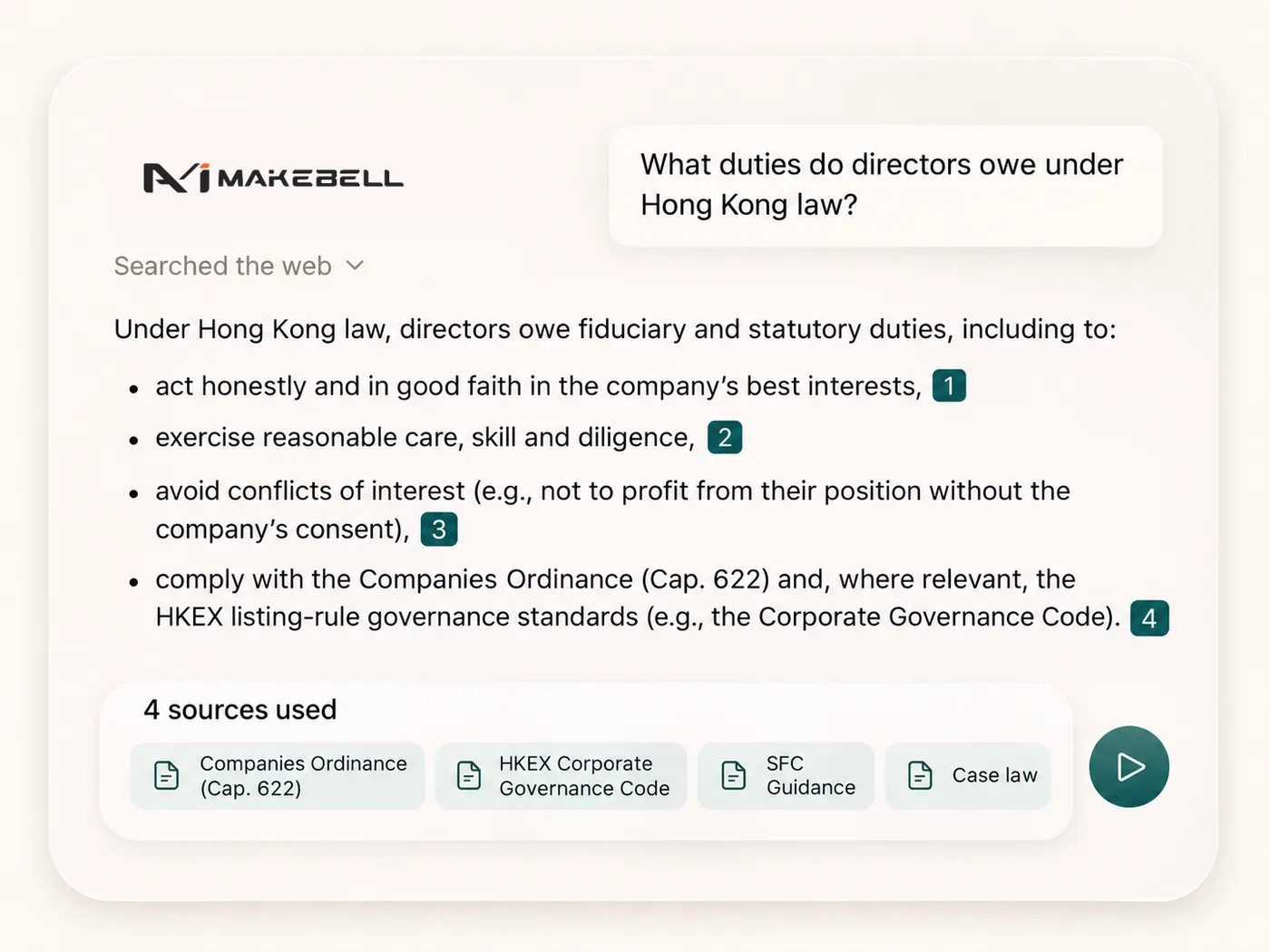
Ask a legal question and search in depth, including through Perplexity. The answer comes back with the sources it used, and each citation opens the underlying page.
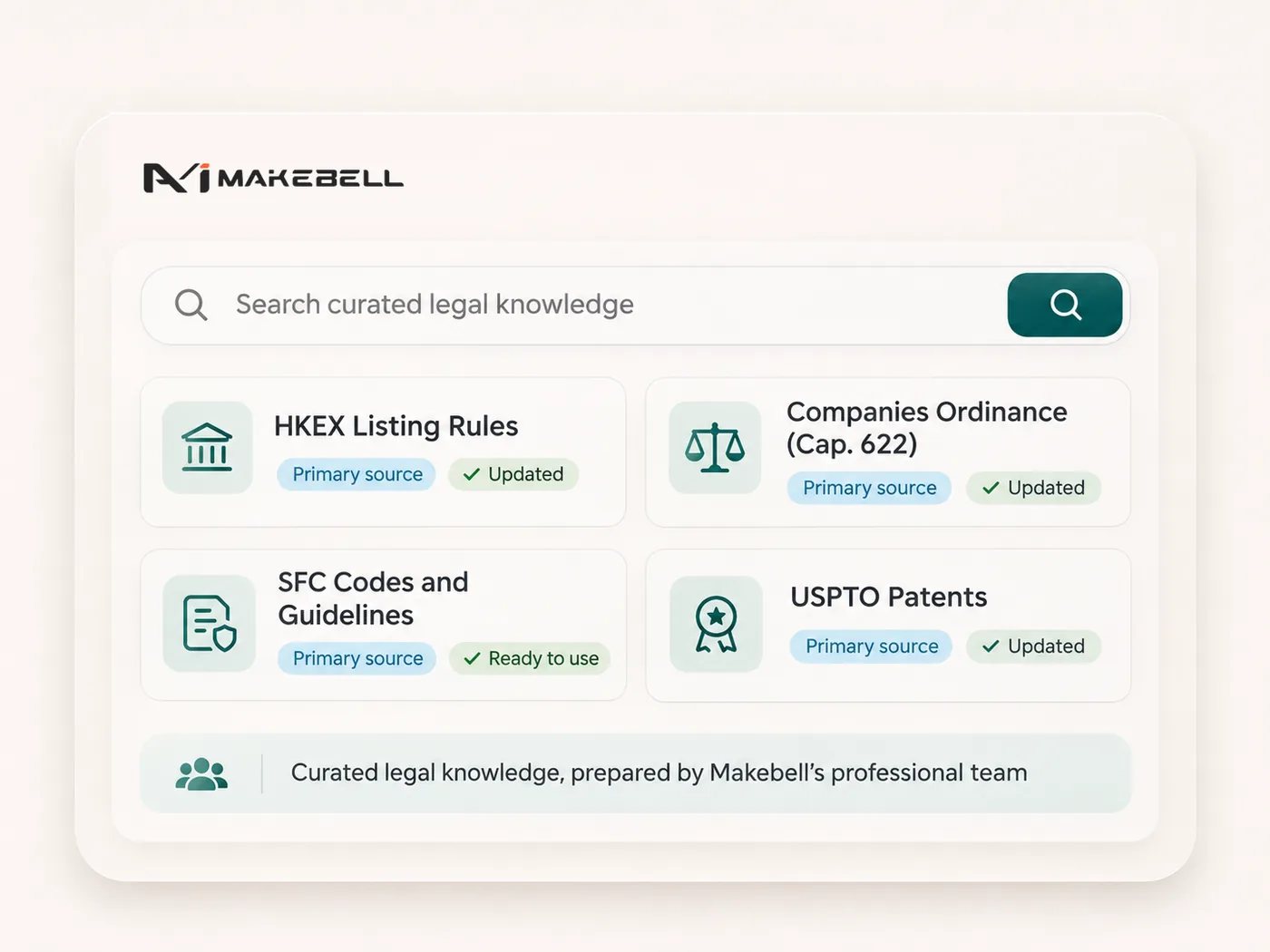
Search knowledge our professional team has already prepared, from legislation and cases to listed-company filings and patent records such as USPTO, among others. None of it has to be loaded before the first matter.
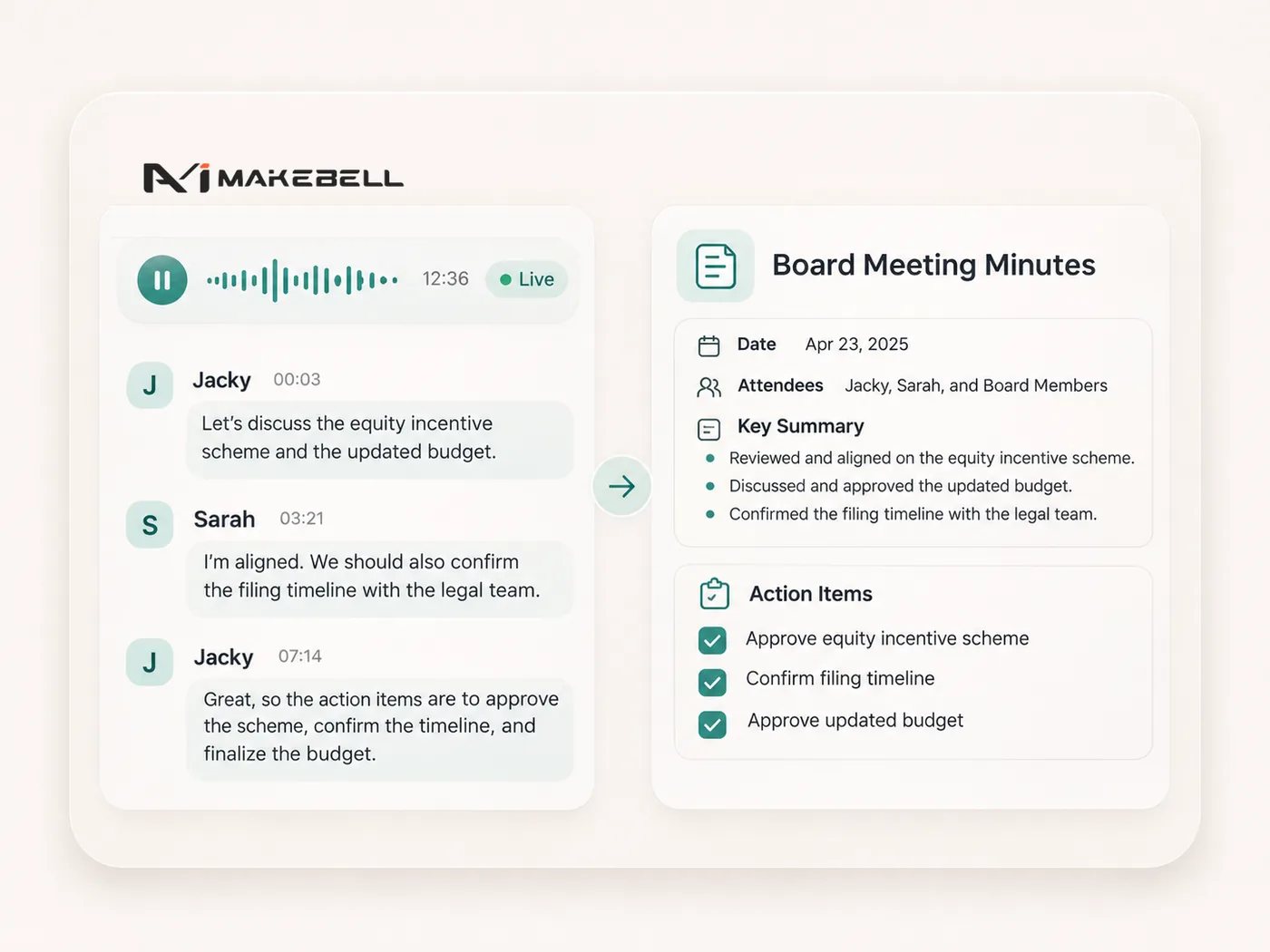
Transcribe your meeting from an audio or video recording, even if it is in Cantonese or in mixed languages. A detailed summary and the action items are ready as soon as the meeting ends.
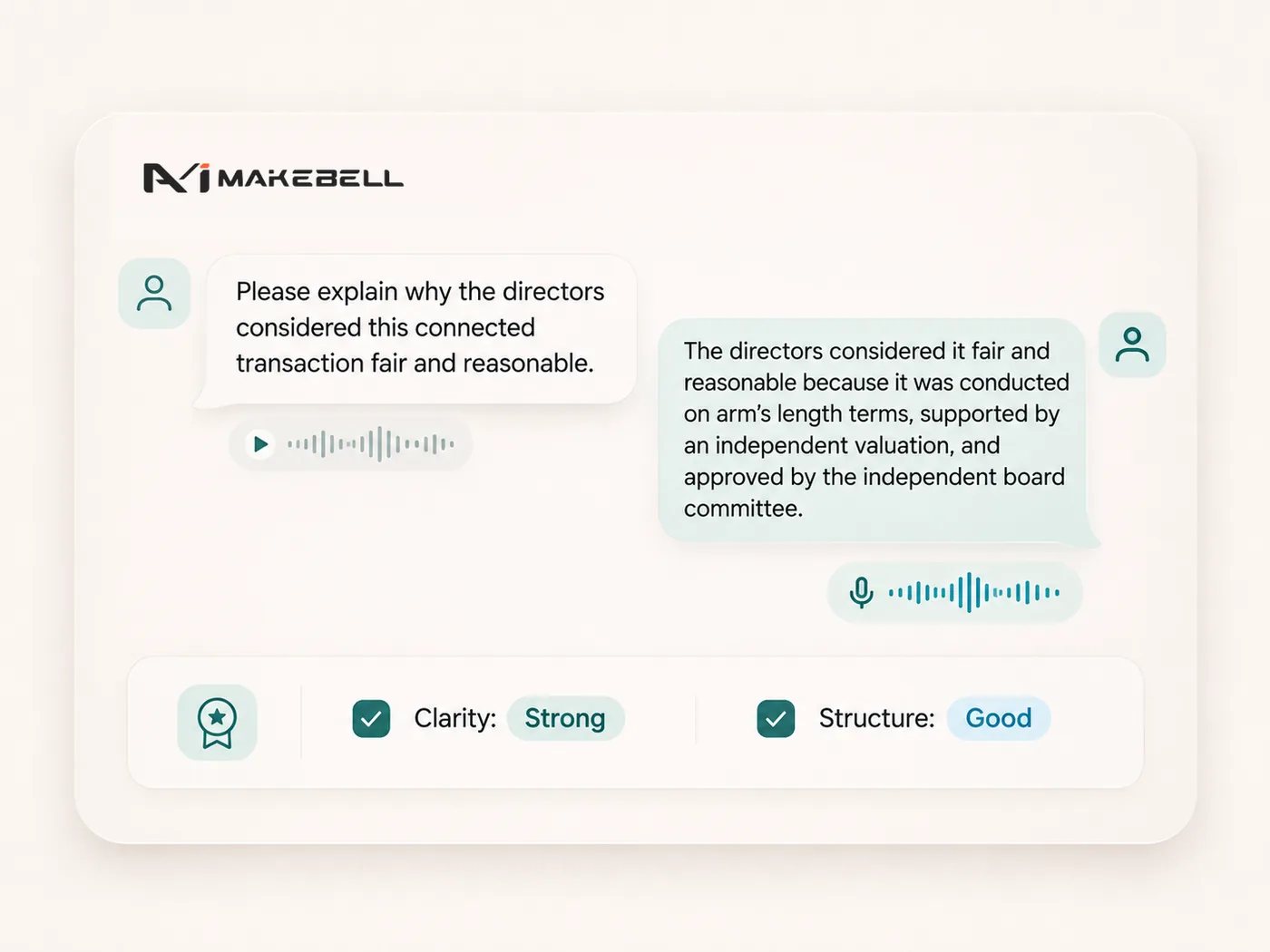
Speak with Makebell before the real conversation. It can take the other side in a cross-examination, a regulatory interview, an oral submission, or a client meeting. Stop, try the question again, and run it once more.
Connectors put Makebell to work in the tools the firm already uses: reading mail in Outlook, documents in iManage, and files in Google, and taking action in them only with your approval.
Upload the firm’s precedents, past matters, client memos, and playbooks. Drafts and reviews draw on that knowhow, so the work follows the way this firm already writes, rather than a generic form.
Use Makebell inside Microsoft Word to draft, review, and redline, from a selected clause to the whole agreement. Changes come back as track changes in the document you already have. You do not leave Word.
Every answer carries a citation you can open. It takes you to the exact page in the document or the source, and highlights the passage the answer used, so you can check it before you rely on it.
Open a skill and run it on the document in front of you: a first-pass contract review, a set of minutes, a due diligence note. The steps and the standard are already in the skill. You do not write the prompt again.
Ask a legal question and search in depth, including through Perplexity. The answer comes back with the sources it used, and each citation opens the underlying page.
Search knowledge our professional team has already prepared, from legislation and cases to listed-company filings and patent records such as USPTO, among others. None of it has to be loaded before the first matter.
Transcribe your meeting from an audio or video recording, even if it is in Cantonese or in mixed languages. A detailed summary and the action items are ready as soon as the meeting ends.
Speak with Makebell before the real conversation. It can take the other side in a cross-examination, a regulatory interview, an oral submission, or a client meeting. Stop, try the question again, and run it once more.
Connectors put Makebell to work in the tools the firm already uses: reading mail in Outlook, documents in iManage, and files in Google, and taking action in them only with your approval.
Upload the firm’s precedents, past matters, client memos, and playbooks. Drafts and reviews draw on that knowhow, so the work follows the way this firm already writes, rather than a generic form.
Use Makebell inside Microsoft Word to draft, review, and redline, from a selected clause to the whole agreement. Changes come back as track changes in the document you already have. You do not leave Word.
Every answer carries a citation you can open. It takes you to the exact page in the document or the source, and highlights the passage the answer used, so you can check it before you rely on it.
Open a skill and run it on the document in front of you: a first-pass contract review, a set of minutes, a due diligence note. The steps and the standard are already in the skill. You do not write the prompt again.
Ask a legal question and search in depth, including through Perplexity. The answer comes back with the sources it used, and each citation opens the underlying page.
Search knowledge our professional team has already prepared, from legislation and cases to listed-company filings and patent records such as USPTO, among others. None of it has to be loaded before the first matter.
Transcribe your meeting from an audio or video recording, even if it is in Cantonese or in mixed languages. A detailed summary and the action items are ready as soon as the meeting ends.
Speak with Makebell before the real conversation. It can take the other side in a cross-examination, a regulatory interview, an oral submission, or a client meeting. Stop, try the question again, and run it once more.
The system runs on the firm’s own machines. ISO 27001, GDPR, and PDPO apply on top of that.
ISO 27001
Information-security management system. Ask us for the scope, not only the badge.
GDPR
Where EU personal data is in scope, the same private system is built to support those duties.
PDPO
Hong Kong’s Personal Data (Privacy) Ordinance is the home regime. The product starts here.
A demo of drafting, review, and research, in one system, built around the practice your team already runs.